


Don't just tell followers how to create a DIY project, show them! Create professional step-by-step video tutorials in a matter of minutes with your photos and video clips.






With Animoto, it's never been easier to produce your own professional tutorial videos. Create how-to videos or product tutorials that your audience will want to watch from start to finish. Go from a storyboard template to publishing in minutes. No video editing experience needed!


Show your audience how to create crafts, recipes, and other projects by making a professional video tutorial. Simply swap out the existing text, photos, and video clips in our template for your own; then preview and publish.
Customers prefer to buy from people they know, like, and trust. A professional video that displays your expertise will give audiences a way to identify you as an authority. Then when viewers need help from a professional in your field, they'll think of your video—and you—first.
Breaking down a process with video makes it easy for your audience to understand exactly what to do and how. A DIY video takes your audience through each step in a process, so they won't get confused or lost, the way they might with just text or static images.
Posting content that's valuable to your audience is part of growing a brand on social. The more you provide video tutorials that helps your audience solve problems or give fresh education, the more they'll like, comment, or share.
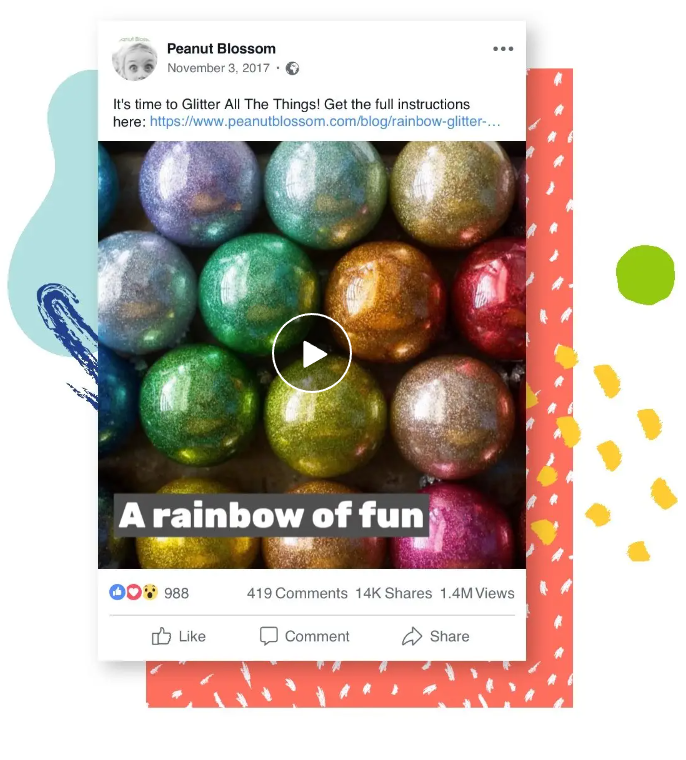
Lifestyle blog Peanut Blossom wanted to promote a new tutorial on their blog, showing how to create DIY holiday ornaments. When their posts featuring static images fell flat, Peanut Blossom decided to give Animoto a try.
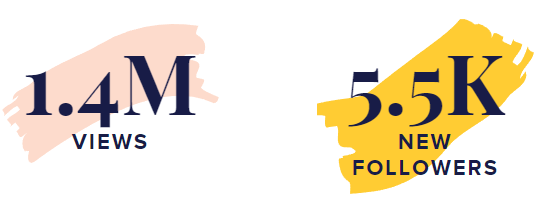
The site started with Animoto’s Step-based Tutorial storyboard, and in a few minutes they were able to drag and drop photos and video clips they already had right into their project. After adding some text, Peanut Blossom shared their video tutorial on Facebook and their website. The DIY video was a hit, amassing 1.4 million views and adding 5,500 followers to Peanut Blossom’s Facebook page.
VIEW SECCESS STORY
Select a storyboard template or start from scratch
Upload your photos and video clips or select from our Getty Images stock library
Personalize by changing colors, music, and text, and adding your logo
Produce and share your promo video


Create and share videos for free. Upgrade anytime for more customization.



As you begin making your own video tutorials, we're here to help along the way! Get started with Animoto and join others just like you in The Animoto Social Video Marketing Community on Facebook. Our team of video experts is ready to help you grow with tips, ideas, inspiration, and feedback on your videos.


© 2022 Animoto Inc. All Rights Reserved.